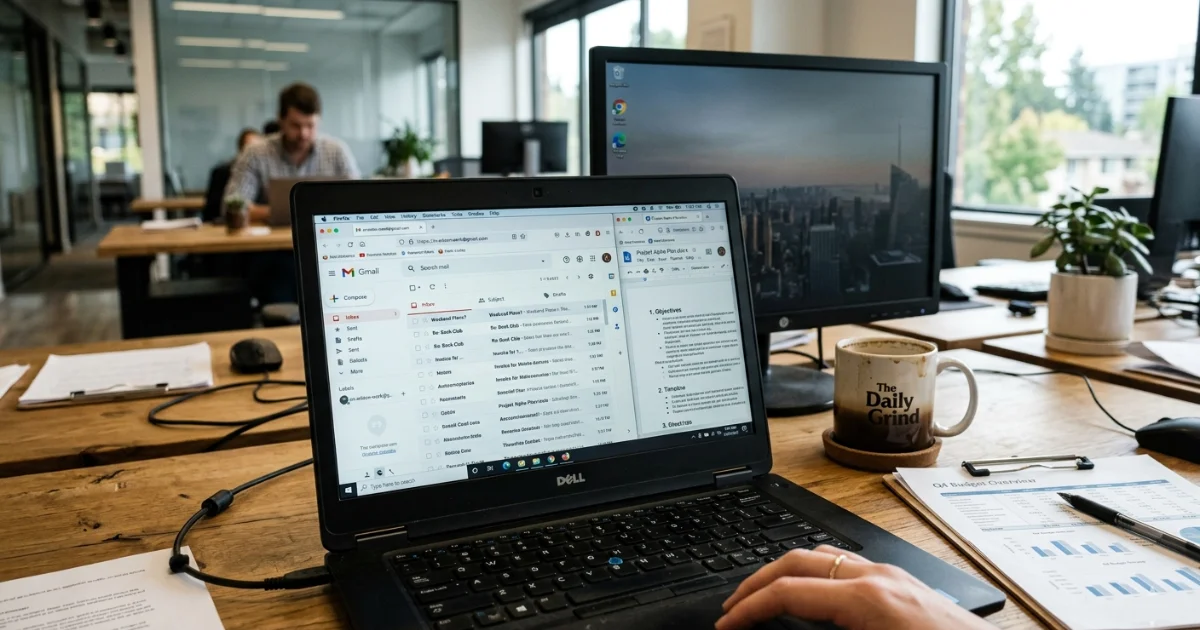
Every year, businesses invest in firewalls, access controls, and corporate email security — and every year, data still walks out through personal Gmail accounts. The channel isn’t new or sophisticated. It requires no technical knowledge, leaves no trace in your corporate email system, and it’s happening on devices you own.
This article covers how to detect personal email use on company devices, why it matters as a security risk, what behavioural patterns are worth investigating, and how monitoring software can give you the visibility that’s currently missing. It also looks at a real case where a single employee’s use of personal email led to a criminal conviction — and how the breach was eventually caught.
The Communication Channel Your Email Security Doesn’t Cover
Corporate email systems come with controls: audit logs, data loss prevention rules, retention policies, and IT oversight. Personal email accounts — Gmail, Yahoo Mail, Outlook.com — have none of that. When an employee opens a personal inbox on a work computer, they’re operating outside those controls entirely.
Files can be attached and forwarded. Conversations can be had. Sensitive records can leave the business with no trace left in your systems. The risk isn’t always intentional — employees often forward things to personal accounts for convenience, to finish work from home, to keep a copy before a job change, or just out of habit. But the moment a file lands in a personal inbox, you’ve lost control of it. You can’t revoke access, verify it was deleted, or audit who else saw it.
According to the 2026 Verizon Data Breach Investigations Report, the most common motive behind insider misuse incidents was convenience — things like emailing files to a personal account to finish work from home. It accounted for 60% of insider misuse cases, and it’s often under-detected because it looks indistinguishable from normal behaviour.
When It Goes Wrong: A Real Example
In June 2013, April Galvan was the business manager at Cypress Surgery Center in Wichita, Kansas. Anticipating that she was about to be fired, she forwarded 140 emails from her work computer to her personal email account. Those emails contained records relating to 317 patients.
The breach was discovered during an internal audit shortly after her dismissal. Galvan was convicted of seven counts of felony computer fraud and sentenced to probation. The surgery center notified all affected patients and reported the breach to law enforcement.
What makes this case instructive is how routine the method was. No specialist tool, no vulnerability exploit — just a work computer and a personal email account. The breach was only caught because an audit happened to run after the fact. Without it, it might never have been discovered.
How to Detect Personal Email Use on Company Devices
Personal email access doesn’t automatically mean wrongdoing. Many employees check personal accounts briefly during the day without any intent to misuse data. The patterns that warrant attention are those that fall outside normal behaviour:
- Consistent access to personal webmail — Gmail, Yahoo, Outlook.com — during working hours from company devices
- Spikes in webmail activity in the days or weeks before an employee resigns or is let go
- File attachment activity from a personal account that coincides with access to sensitive internal systems
- Webmail access outside normal working hours, particularly during periods of organisational change
- Personal email clients installed as desktop applications rather than accessed through a browser
Timing matters too. The same Verizon report found that financial gain was the second most common motive behind insider misuse — meaning not all personal email use is accidental. Employees approaching a job change are a particular risk, and monitoring activity during that window is where visibility matters most.
How Personal Email Monitoring Software Works
Now that we know what to look for, the question is how to see it. This is where employee monitoring software comes in.
Employee monitoring software runs on company-owned devices and logs activity across applications, browsers, and communication channels. For personal email specifically, it can record when and how often webmail services are accessed, flag unusual patterns against an employee’s own baseline, and — depending on the tool — allow you to block personal email domains entirely if your policy requires it.
The result is a record you can actually audit. Instead of discovering a breach after the fact — as happened in the Cypress Surgery Center case — you have a log of activity that makes patterns visible in real time or on review.
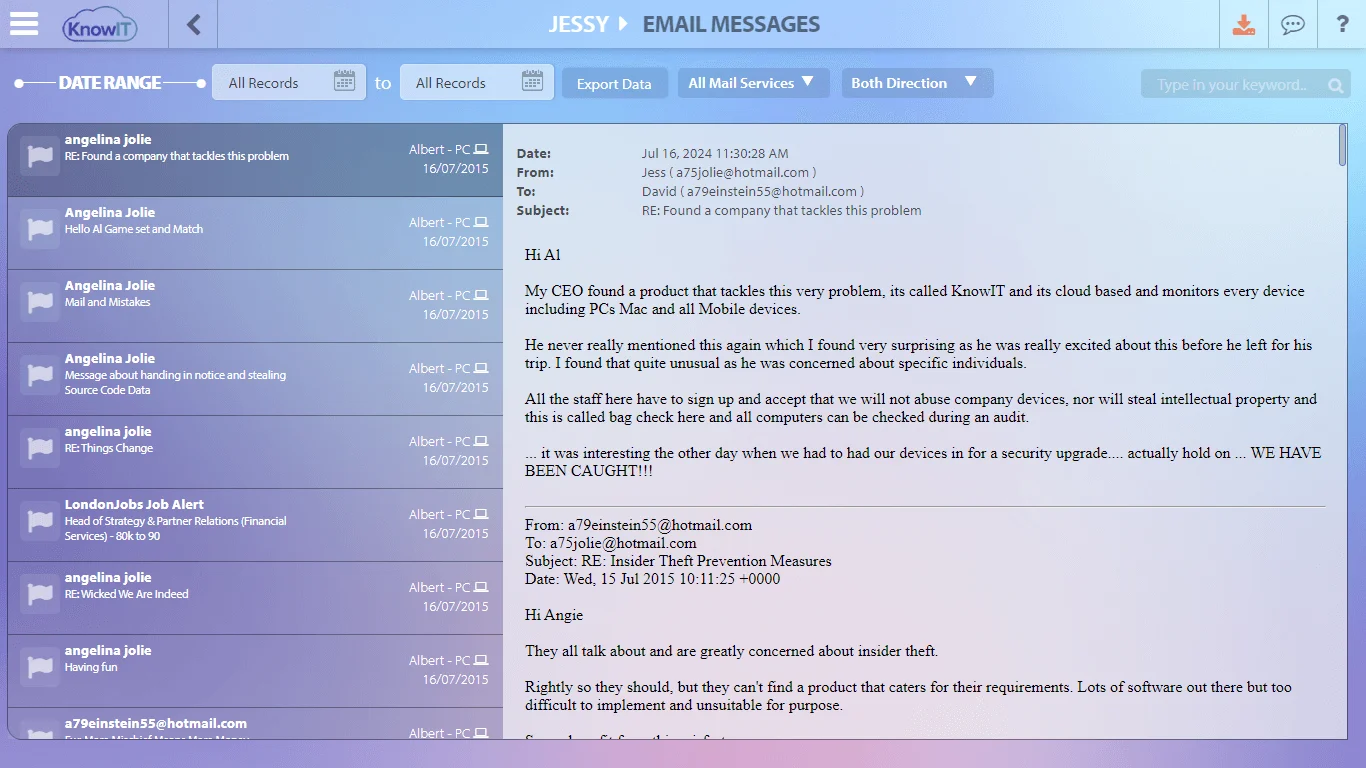
KnowIT is one tool that takes this approach. On Windows and Mac devices, it logs webmail activity across Gmail, Yahoo Mail, Outlook.com, and Outlook 365. For businesses that issue company Android phones, it also monitors Gmail activity on those devices — a capability most competitors don’t cover, and one that matters when employees are expected to use only approved channels on company-issued mobiles.
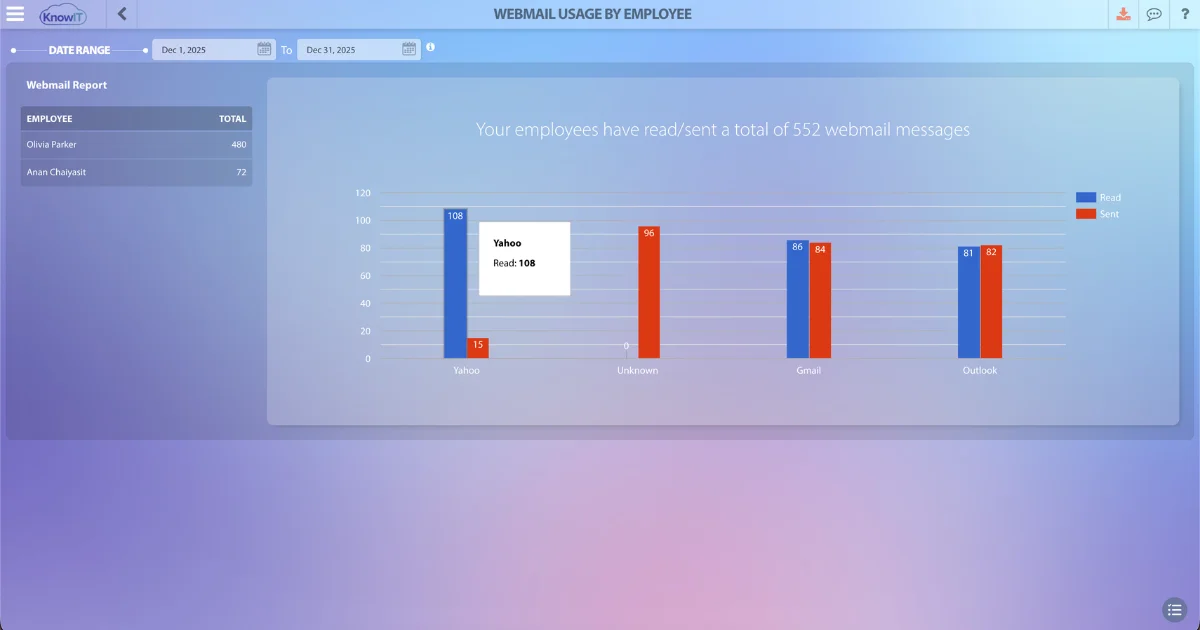
The monitoring covers several areas relevant to personal email detection:
- Webmail monitoring: KnowIT logs when employees access personal webmail services on company devices, with a record of activity by user, date, and service.
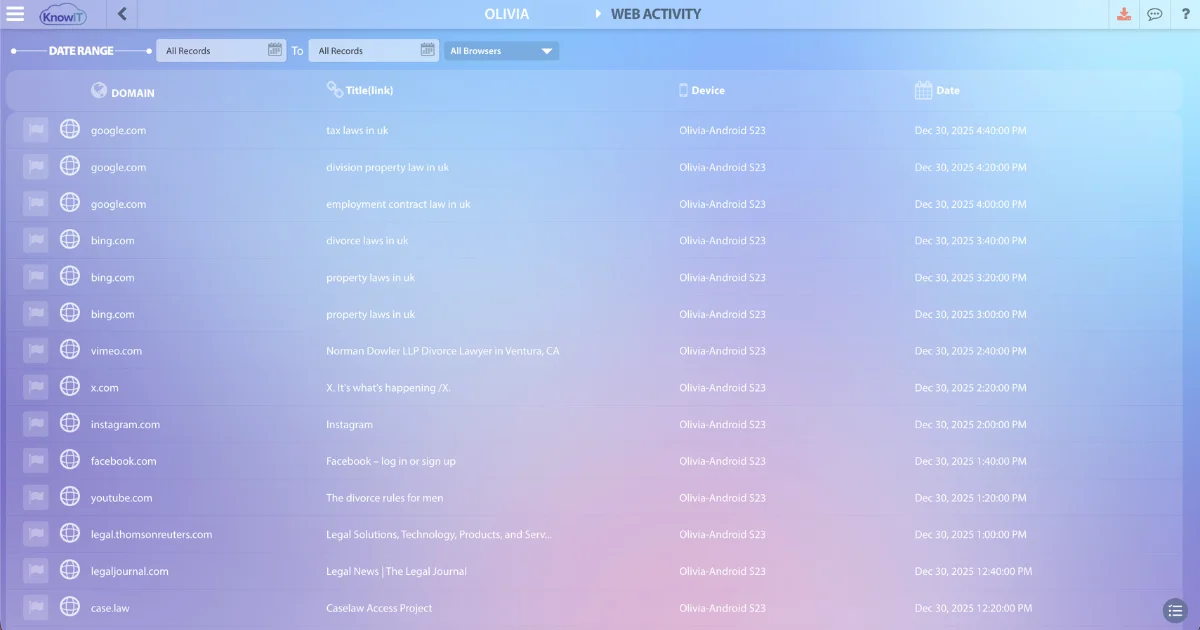
- Web browser tracking: Access to webmail through any supported browser is captured as part of standard web activity logging, as shown in the screenshot above.
- Email attachment restrictions: On Windows devices, KnowIT can block files from being transferred via web-based email — preventing employees from attaching and sending company files through personal webmail accounts. Available on DLP and Complete plans.
- Keyword alerts: KnowIT can trigger an alert when a specified keyword or phrase appears in monitored email activity — useful for flagging sensitive terms, confidential project names, or policy-violating language in outbound messages.
- Website blocking: KnowIT includes a website blocking feature that lets you restrict access to specific sites. Since personal webmail is browser-based, this can be used to prevent employees from accessing personal email services on company devices — without requiring a separate email-specific control.
- Screenshot recording: Screenshots can be captured on a set interval or on demand, providing visual context for activity that appears in monitoring logs.
- Android email monitoring: For company-issued Android devices, KnowIT monitors Gmail activity as part of its mobile communication monitoring suite — available on Employee Monitoring and Complete plans.
What Your Email Use Policy Should Cover
Monitoring provides the data. Policy gives you the authority to act on it. Without a clear acceptable use policy, disciplinary action based on monitoring logs is difficult to justify — and employees have a reasonable argument that expectations were never spelled out.
A workable policy for personal email on company devices should cover at minimum:
- Whether personal email access is permitted on company devices, and under what conditions
- What categories of company information must never be forwarded to personal accounts
- What monitoring the company conducts and what data is retained
- The consequences of policy violations
Employees should acknowledge the policy in writing. In many jurisdictions, written notice of monitoring is not just good practice — it’s a legal requirement. SHRM notes that state laws vary significantly on what employers can and cannot monitor, and some states require explicit employee consent before monitoring begins.
If you’re also concerned about files leaving the business through other channels — USB drives, cloud uploads, or file sharing services — our article on how employees copy files to USB or upload them to the cloud covers those vectors in more detail.
The Bottom Line
Personal email on company devices is a low-effort, high-impact data risk — and one that most businesses only discover after the fact. Getting ahead of it means having both the right policy and the visibility to enforce it.
KnowIT’s employee monitoring features include webmail and browser activity logging, website blocking, and screenshot capture across Windows, Mac, and Android devices. You can start a free trial to see how it works in your environment.
Frequently Asked Questions
Can employers monitor personal email on company devices?
In most jurisdictions, employers can monitor activity on company-owned devices, including access to personal webmail services. Directly accessing the content of a personal email account without consent is generally not permitted. The legal landscape varies — some states and countries require written notice before monitoring begins. Document your monitoring practices in an acceptable use policy and have employees acknowledge it in writing.
Is forwarding work files to a personal email account illegal?
It depends on what was forwarded and why. In the Cypress Surgery Center case, a business manager was convicted of seven counts of felony computer fraud for forwarding patient records to her personal account. Whether or not it reaches that threshold, it almost always violates company policy and may breach data protection obligations depending on the type of information involved.
What types of personal email can monitoring software detect on work devices?
Employee monitoring software can log access to web-based personal email services — Gmail, Yahoo Mail, Outlook.com, and similar platforms — when accessed through a browser on a company device. Some tools also monitor email client applications installed on the desktop. The level of detail captured varies by software and configuration.
How do I block personal email on company computers?
Most employee monitoring platforms include website blocking that lets you restrict specific domains. In KnowIT, you can block personal email domains across all managed devices. Blocking alone doesn’t address mobile access or personal devices, which is why pairing technical controls with a clear policy matters. For related visibility into broader web activity, see our guide on How to Monitor Employee Internet Usage.
Should I block personal email at work or just monitor it?
That depends on your organisation’s culture and risk appetite. Blocking is more effective from a pure security standpoint but can create friction with employees who use personal email for legitimate reasons during breaks. Many businesses choose to monitor rather than block, using the data to investigate specific concerns rather than restricting access across the board. Either way, the approach should be documented in your acceptable use policy so employees know what to expect.

![KnowIT vs Teramind: Full Comparison for SMBs [2026]](https://blog.digitalendpoint.com/wp-content/uploads/2026/07/KnowIT-vs-Teramind.webp)