Most employees have internet access as a basic requirement of their job. A Pew Research Center survey found that 46% of employees say internet access has increased their productivity at work. However, it also opens the door to hours of lost productivity every week. Personal browsing, social media, video streaming, and online shopping all happen on company time, and for many businesses, there’s no reliable way to see how much.
This article covers how to monitor employee internet usage, what employee internet monitoring software tracks, what usage patterns are worth paying attention to, and how tools like KnowIT give managers a clearer picture of web activity across their team.
The Cost of Unmanaged Internet Use at Work
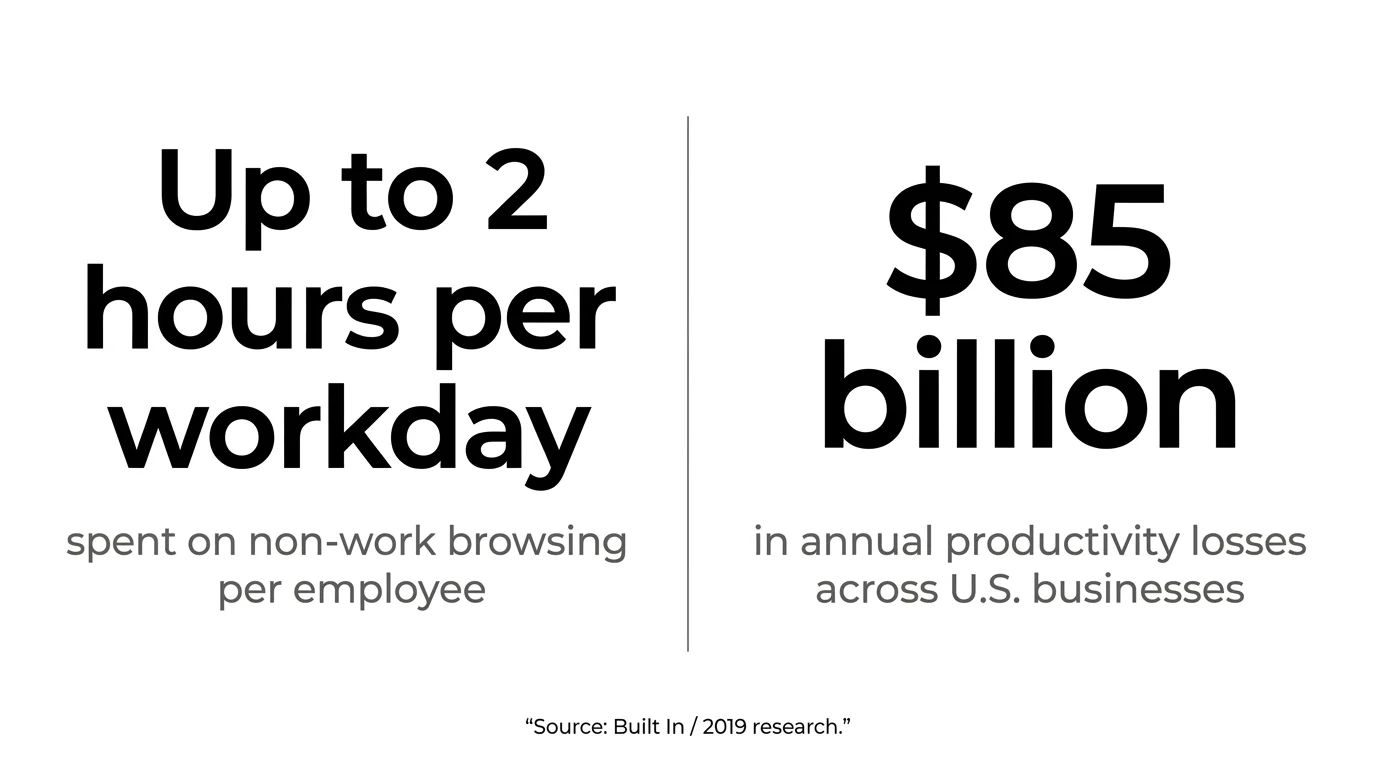
Browsing the web during work hours is common enough that it has its own name: cyberloafing. According to research cited by Built In, employees spend up to two hours per workday on non-work internet activity — and the cumulative cost runs to an estimated $85 billion a year in lost productivity across U.S. businesses.
Some personal browsing is unavoidable, and a quick news check isn’t going to meaningfully affect output. The problem is when it becomes a sustained pattern — and when managers have no visibility into it until performance starts to slip.
The same applies to personal email use on company devices — another common channel for time and data, leaving unnoticed.
How to Monitor Employee Internet Usage
The good news is there’s a straightforward solution: internet monitoring software.
Internet monitoring software is a tool that runs on company devices and records employee web activity in the background — without interrupting their work. It gives managers a factual record of how work hours are being spent online, broken down by employee, site, and time of day.
At a basic level, it allows you to see which websites your employees are visiting, how much time they’re spending on those sites, and receive alerts when employees visit prohibited or flagged websites.
More advanced platforms extend that visibility to search terms, video activity, bandwidth consumption, and screenshots.
With that foundation in place, the next question is: what exactly does internet monitoring software log, and how does it work in practice?
How Internet Monitoring Software Works
Employee internet monitoring tools run in the background and record web activity as it happens. Depending on the platform, this typically includes:
- Which websites employees visit, down to the specific pages and time spent on each
- Search terms entered into Google, Bing, YouTube, DuckDuckGo, and similar engines
- Videos watched on YouTube, including search queries and individual titles
- Bandwidth consumption by employee or device, which can flag heavy personal streaming or large downloads
- Access attempts to blocked or prohibited websites
Some tools also take screenshots at set intervals, giving managers a visual record of what was on screen at a given time — useful when a usage log alone doesn’t tell the full story.
The data is typically presented as a browsing history report filterable by employee, date range, or site. Most platforms can also send alerts when employees access specific websites or cross usage thresholds.
How to Spot Suspicious Internet Usage
Raw browsing logs can be noisy. Most managers aren’t looking to audit every page visit — they’re looking for patterns that suggest time is being consistently pulled away from work. A few that tend to be worth reviewing:
- High daily time on entertainment or social platforms — YouTube, Reddit, TikTok, Instagram — that doesn’t align with any job function
- Above-average bandwidth use from streaming services or large personal downloads
- Search activity that’s clearly personal in nature — shopping, travel planning, news — running through the middle of the workday
- Repeated attempts to access sites the company has already flagged or blocked
None of these signals are automatically a problem. Context matters. But they give managers a factual baseline that’s otherwise impossible to establish without monitoring software.
When Internet Use Goes Unmonitored: A Real-World Example
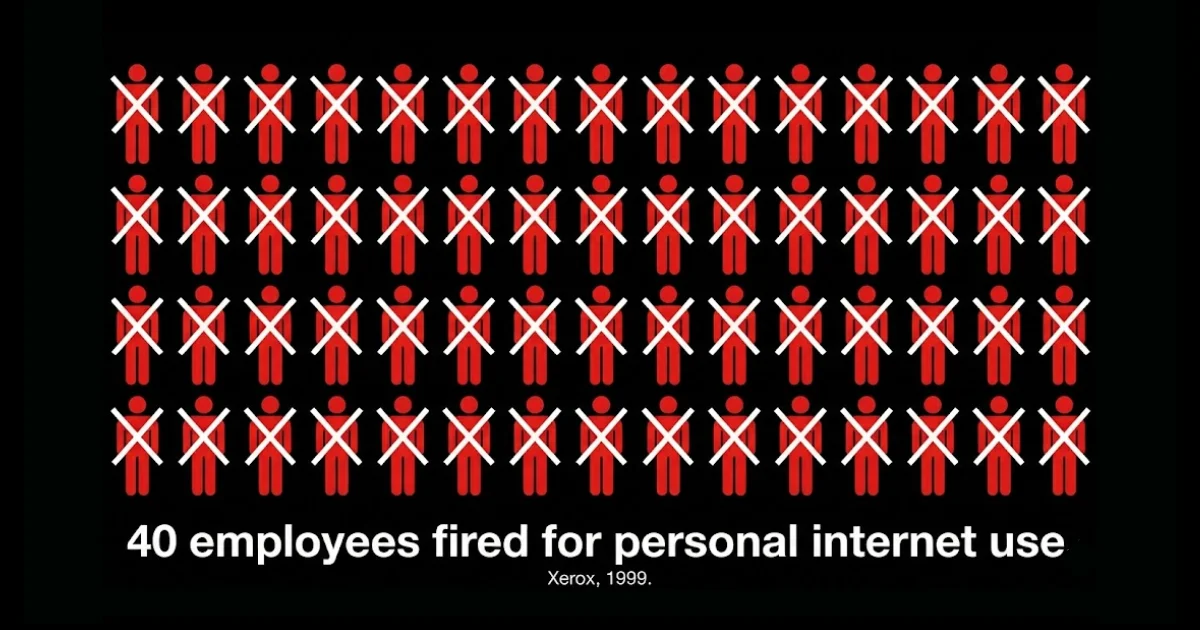
In October 1999, Xerox became one of the first major companies to make headlines for workplace internet misuse when it terminated around 40 employees after an internal review of web activity revealed sustained personal browsing on company time — including online shopping, gambling, and visits to sites unrelated to their work.
The data had been there; no one had looked at it systematically until someone did.
What made the case significant wasn’t just the terminations — it was that the problem had been running undetected for an extended period. Monitoring didn’t create the issue; it revealed one that already existed.
That dynamic is still common today. Managers rarely set out to investigate employees, but when browsing data is available and reviewed as part of normal operations, patterns emerge that would otherwise stay invisible until they affect output or escalate into a conduct issue.
Seeing It in Practice: Internet Monitoring in KnowIT
Employee monitoring platforms differ in how much internet activity they actually capture. Some log visited URLs but go no deeper. Others track browser history across multiple browsers and extend that visibility to search terms and specific video content.
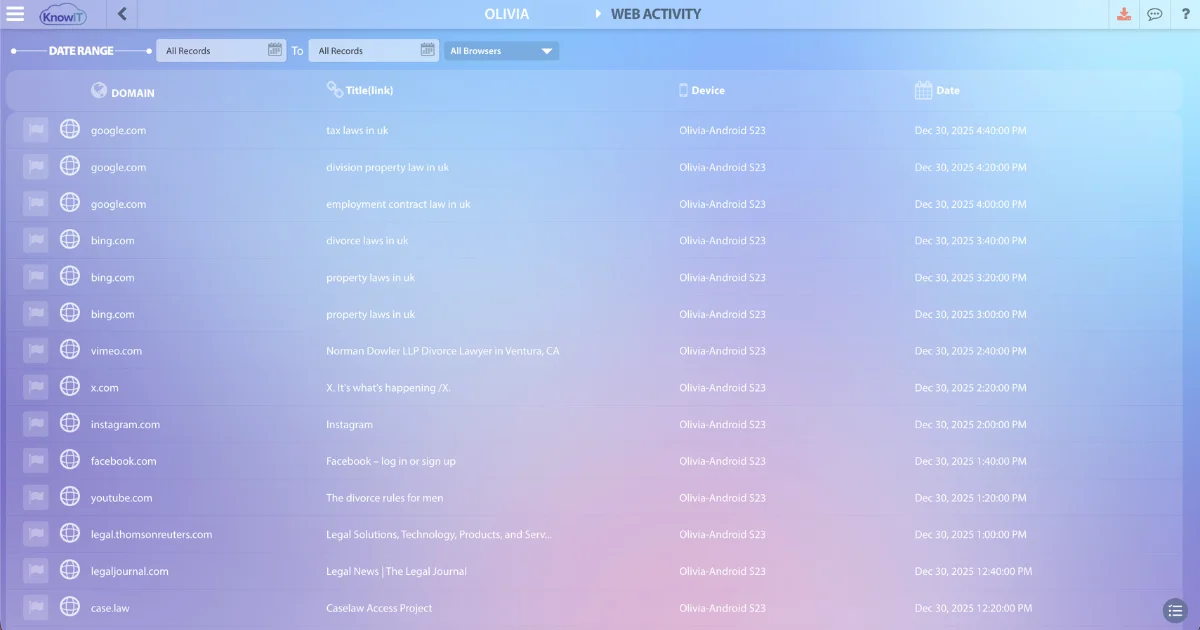
KnowIT is one such employee monitoring software. It tracks web browsing activity across Chrome, Firefox, Microsoft Edge, Opera, Brave, Internet Explorer (Windows), and Safari (Mac), and captures not just the sites visited but the specific search queries employees run — including on Google, Bing, YouTube, and DuckDuckGo — and which YouTube videos are watched.
Beyond the browsing log, KnowIT also includes:
- Bandwidth usage analysis, so administrators can see which employees or devices are consuming the most data
- Website blocking, which lets admins restrict access to specific sites or categories
- Prohibited website alerts, which send a notification when a blocked site is accessed or attempted
- Screenshot recording, configurable by time interval or on demand
- Browser bookmark tracking, which gives a secondary view into employee interests that may not surface in day-to-day browsing history
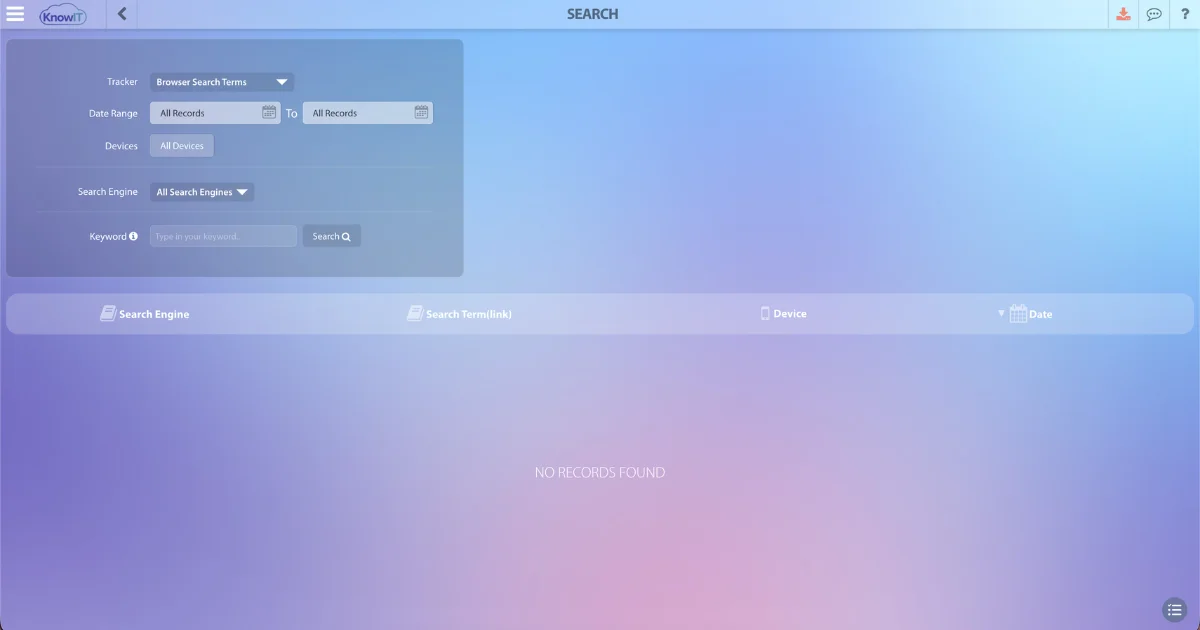
Reports can be filtered by employee, department, or date range, and scheduled for automatic delivery. For teams managing multiple employees or locations, this makes it easier to spot outliers without manually going through individual logs.
KnowIT runs on Windows, Mac, and Android — making it one of the few employee monitoring platforms that extends internet visibility to mobile devices, something most competitors don’t cover. A forever-free tier includes website tracking and website blocking, so smaller teams can try the core functionality before committing to a paid plan.
To see how internet monitoring works in practice, start a free trial and explore the web activity reports firsthand.
Frequently Asked Questions
Can employees tell if their internet is being monitored?
Sometimes. Some monitoring tools are visible in a device’s application list or task manager; others run silently in the background. Regardless of tool visibility, employers in several U.S. states are legally required to disclose monitoring in advance through a written policy.
Does internet monitoring software track personal devices?
Generally, no — not without explicit enrollment. Monitoring software is designed for company-owned devices. On personal devices, tracking is typically only possible if the device is enrolled in a company MDM system or connected to a monitored company network.
What is the difference between monitoring and blocking websites?
Monitoring records which sites employees visit and how long they spend on them, but does not restrict access. Blocking actively prevents employees from loading specific sites or categories. Many platforms offer both — employers can monitor first to identify patterns, then apply blocks where needed.
What is cyberloafing?
Cyberloafing is the use of company internet access for personal, non-work activities during work hours — such as browsing social media, watching videos, or online shopping.
It’s one of the most common forms of time loss in the modern workplace, and a primary reason organizations implement internet monitoring policies.
![KnowIT vs Teramind: Full Comparison for SMBs [2026]](https://blog.digitalendpoint.com/wp-content/uploads/2026/07/KnowIT-vs-Teramind.webp)