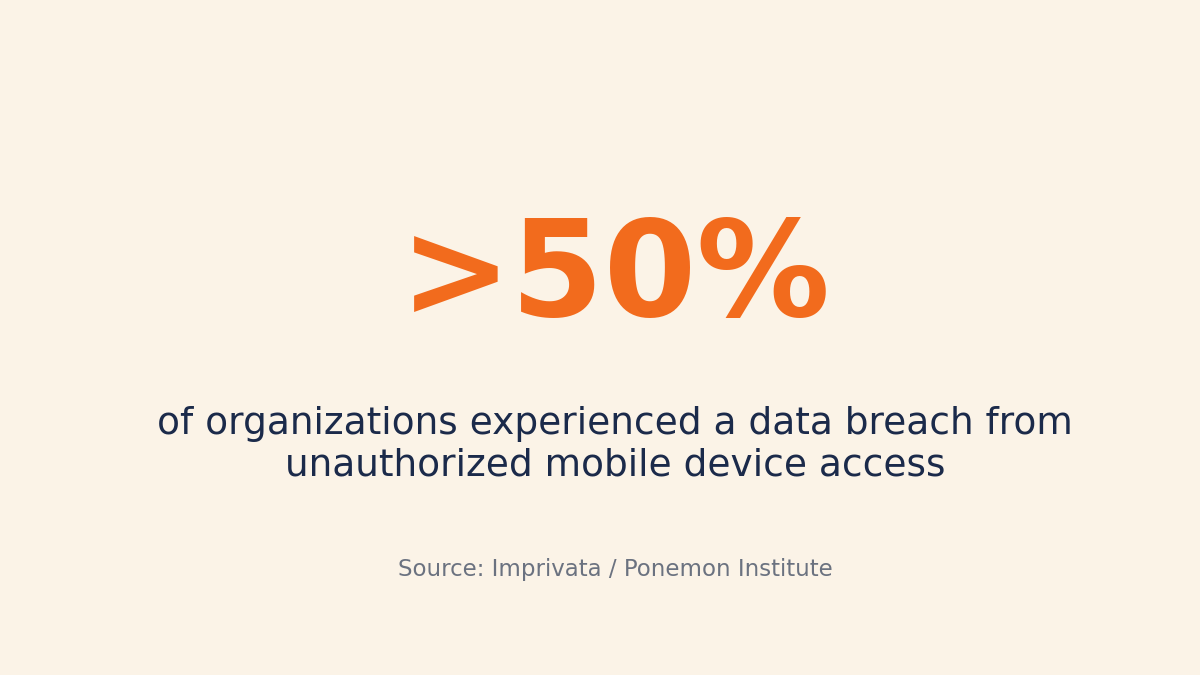
Unauthorized access to employee mobile devices led to a data breach at more than half of organizations, yet only 28% of IT practitioners believe they can actually secure those devices — and that visibility gap is exactly what monitoring company Android phones closes.
To do it, you do three things: install a monitoring agent on each device, set a clear written policy that employees acknowledge, and review activity (apps, web, location, calls, and messages) from a central dashboard.
This applies to company-owned phones, not personal BYOD devices — the legal and ethical footing is very different once the device belongs to the employee.
One practical catch narrows your options fast: most employee-monitoring platforms don’t support Android at all. They’re built for Windows and Mac desktops, so before you compare features, confirm the tool can actually monitor Android phones.
Why monitoring company Android phones matters now
Mobile compromises aren’t theoretical. The Verizon Mobile Security Index 2022 found that 45% of companies surveyed suffered a mobile-related compromise in the prior year that caused data loss, downtime, or other damage.
The threat volume is constant. In 2024, attackers launched a monthly average of 2.8 million malware, adware, and unwanted-software attacks against mobile devices, according to Kaspersky’s mobile threat report.
The takeaway for a manager: an unmonitored company phone in the field is your exposure point. You can’t see what apps a technician installed, what they downloaded, or where the device went.
With only about 1 in 4 IT teams confident they can secure mobile devices, visibility is the baseline, not a luxury.
What you can actually monitor on a company Android phone
On a company-owned Android phone with a monitoring agent installed, you can see a wide range of activity. KnowIT’s richer Android capabilities require the Employee Monitoring ($19.99/license) or Complete ($24.99/license) plan — the Free Edition covers basic monitoring only.
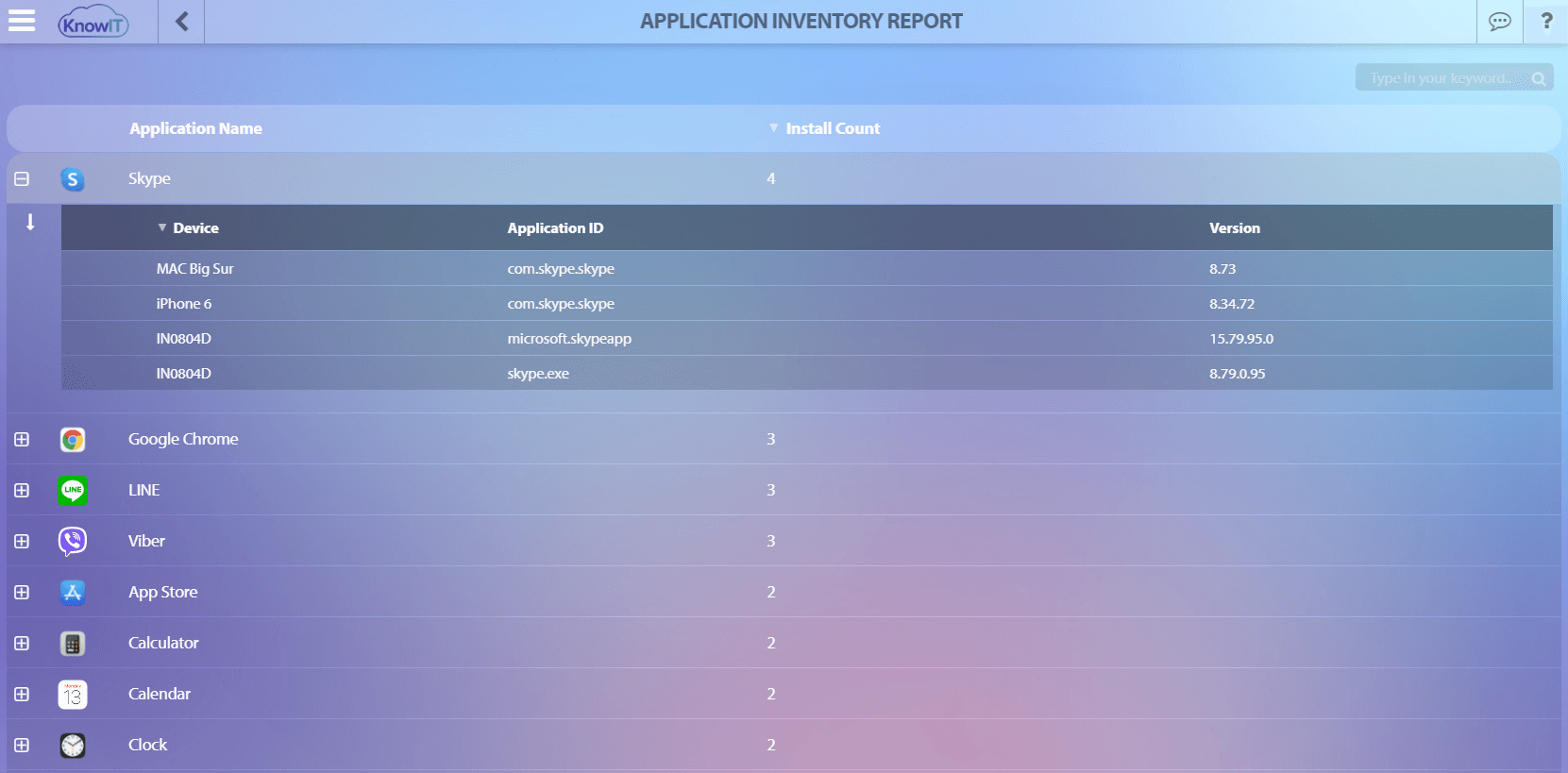
- Apps: installed applications, usage history, and an installation audit trail
- Browser activity: Chrome, Firefox, Samsung Internet, and bookmarks
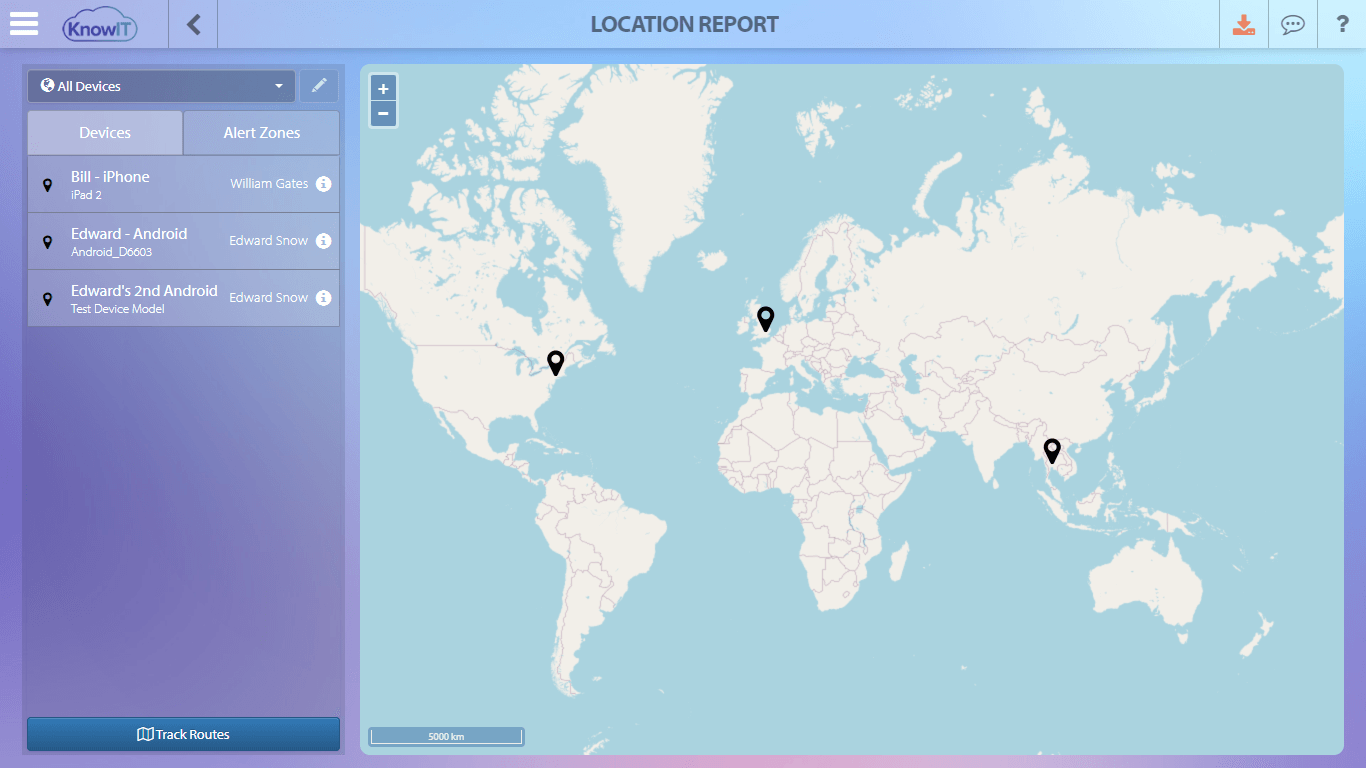
- Location: live and historical location, plus geofencing alerts
- Communication: call recording and logs, SMS/MMS, Gmail, and IM apps including WhatsApp, WhatsApp Business, Facebook Messenger, Viber, LINE, Telegram, Instagram, Snapchat, Google Messages, and Samsung Messages
- Data capture: address book, calendar, notes (Samsung Notes, Google Keep, Evernote), images, videos, and audio memos
- MDM controls: remote lock, remote wipe, remote password reset, disable camera, and quick provisioning
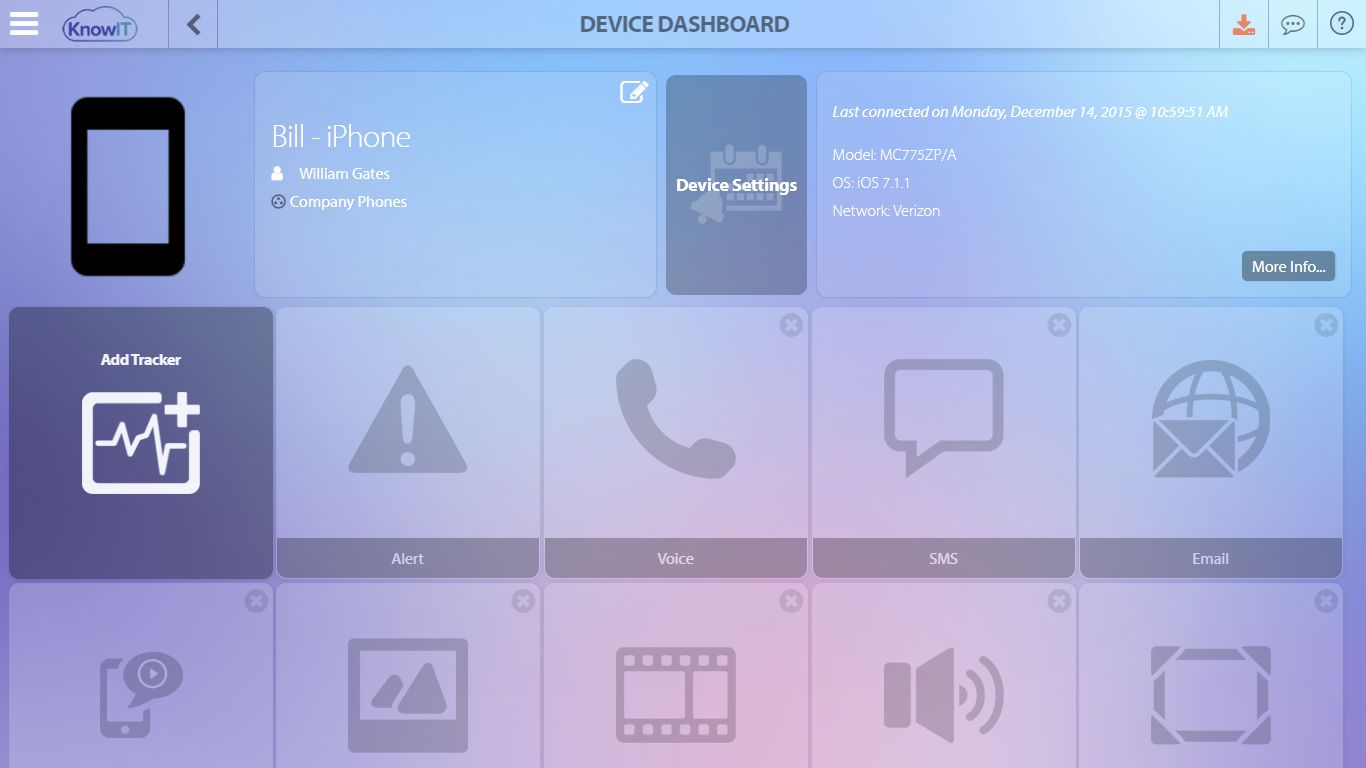
You manage all of it from one device view rather than picking up each phone.
The installed-app inventory serves both security and cost: it shows you what’s actually on each device — including software no one approved — and what’s sitting unused.
One important caveat: Android monitoring is not identical to Windows. Features like DLP, file-transfer blocking, and Zoom or WhatsApp VoIP call recording are Windows-only. Match the platform to what you actually need.
That mirrors how browser activity is tracked on Windows and Mac — the same visibility, just extended to mobile.
Do it legally: policy and consent for company devices
Company-owned devices give you more latitude than personal phones, but disclosure is still essential. Owning the hardware doesn’t remove the obligation to tell employees what’s being monitored.
A practical checklist before you go live:
- Write an acceptable-use and monitoring policy that states clearly what is captured and why
- Have each employee sign an acknowledgment of that policy
- Document a clear business justification (security, compliance, productivity)
- Limit monitoring to work purposes and avoid capturing personal accounts and messages where possible
Company-owned versus BYOD changes what’s reasonable. Personal accounts, private messages, and after-hours location data are sensitive even on a work device — the narrower and more transparent your monitoring scope, the more defensible it is.
This is general guidance, not legal advice. Monitoring rules differ by region and by the type of data involved — check your local laws and consult counsel before deploying.
Step-by-step: setting up Android phone monitoring without IT skills
KnowIT is built for non-technical users, so setup follows five steps:
- Start a 2-week free trial of the Complete Edition.
- Log into your secure online portal.
- Install the license onto each company phone, or use the free installation service if you’d rather not handle it yourself.
- Run the walkthrough wizard to configure the features you need.
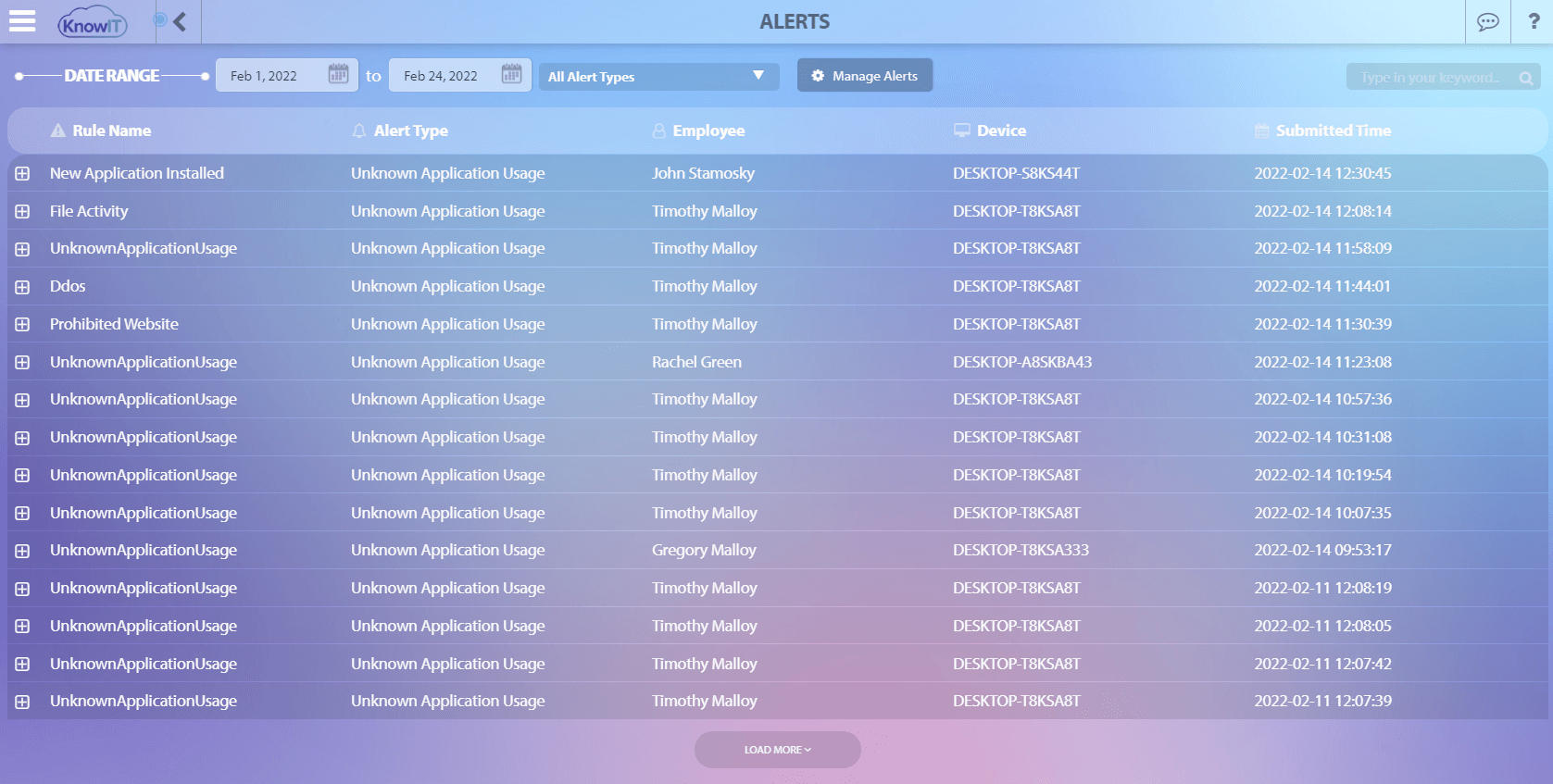
- Start receiving data, alerts, and reports.
Two things to know upfront. Installing on a company-owned phone requires physical access to the device — there is no remote-only silent install. And if you don’t choose a paid plan after the 2-week trial, the account moves automatically to the Free Edition rather than shutting off, so basic monitoring stays active.
An SMB example: why Android support is the real bottleneck
Take a field-services firm that issues 8 Android phones to its technicians. The owner wants location tracking to verify job-site visits, call logs for client communication, and visibility into what apps end up on each device.
Reasonable goals — but most monitoring tools can’t touch Android, which is where shopping usually stalls.
KnowIT is the only employee monitoring solution on the market with Android support, which is why it fits this scenario. Location reporting alone answers the field-services question directly.
Two pricing facts matter for a small business. There is no license minimum — you buy 1 or 100 — while competitors like Teramind enforce a 5-seat minimum and Veriato requires 10 or more.
For a firm with 8 phones, that’s the difference between paying for what you use and padding an order. Pricing is $19.99/license for Employee Monitoring and $24.99/license for Complete.
Everyone starts with a 2-week Complete trial; if no paid plan is chosen afterward, the account moves automatically to the Free Edition, which covers up to 5 devices with no expiry.
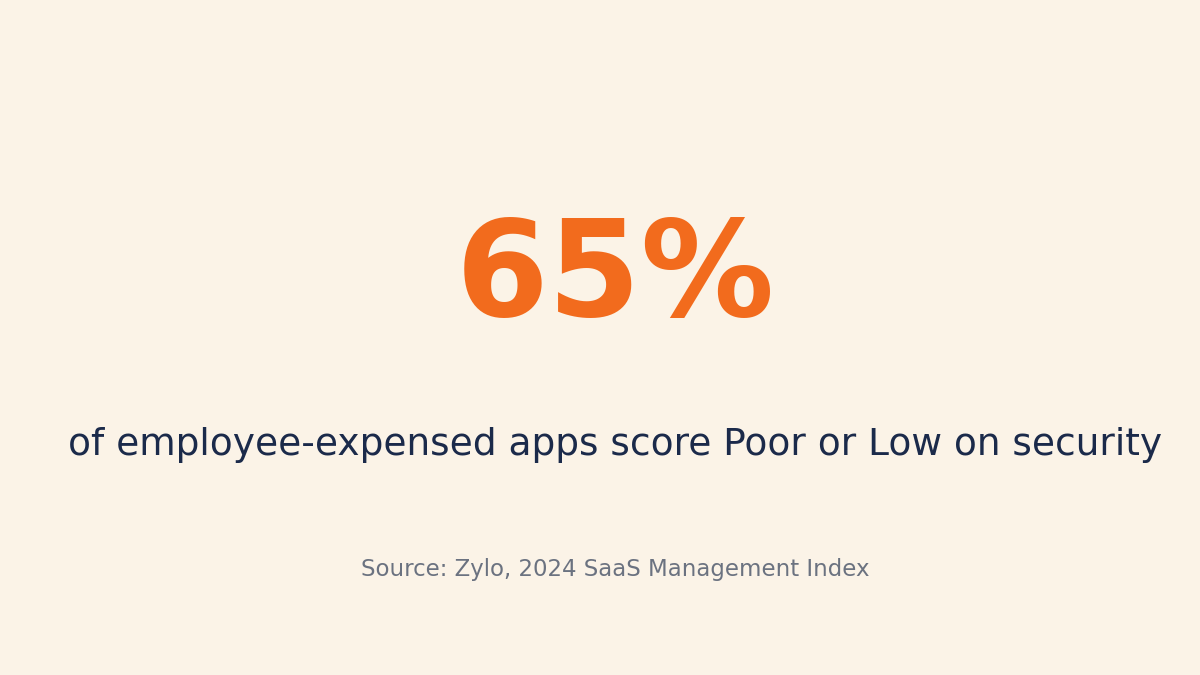
The app inventory also pays off on cost. Zylo’s 2024 research found that 65% of apps employees expense themselves score “Poor” or “Low” on security — so seeing what staff actually install protects both your budget and your data.
When phone monitoring is overkill
Full monitoring isn’t always the right call.
If the phones are personal BYOD devices, deep monitoring is usually inappropriate. Consider MDM-only controls or a separate work profile that keeps personal data out of scope entirely.
If your only concern is a lost or stolen phone, you likely don’t need call and message capture. Basic location may be enough for a small fleet, and after the 2-week Complete trial, the Free Edition can cover basic Android monitoring on up to 5 devices.
If you need remote lock or wipe, stay on Employee Monitoring or Complete.
If your team is small and trust is high, lightweight visibility may be all you need. Recording every call and message is a heavy tool for a problem you might not have.
Your next step
Start small: begin with the 2-week Complete trial on a single phone and confirm it captures what you actually need before rolling it out across the fleet.
If you do not choose a paid plan after the trial, the account automatically moves to the Free Edition for up to 5 devices.
Before going live with any deployment, write the monitoring policy and get each employee’s signed acknowledgment. Doing that first is what keeps the whole program defensible.
![KnowIT vs Teramind: Full Comparison for SMBs [2026]](https://blog.digitalendpoint.com/wp-content/uploads/2026/07/KnowIT-vs-Teramind.webp)