TL;DR
- Most managers identify top performers based on who seems busy or speaks up the most — not actual output data, which means their real best people often go unrecognized..
- Measurable signals like productive time ratio, app usage, and schedule adherence give a more accurate picture than impression alone.
- Employee monitoring software tracks these signals automatically and generates normalized productivity scores adjusted for each employee’s role.
- KnowIT lets you group employees by department or job function, so scores reflect what each person is actually supposed to be doing.
Most managers already have a mental list of who their best people are. The issue is that list is usually built from visibility — who replies fastest, who seems busiest, who speaks up the most in meetings. Those things correlate with productivity sometimes.
They also don’t, more often than most managers realize.
This article covers why informal assessments fail, what actual productivity data looks like, and how employee monitoring software gives you a defensible, role-adjusted view of who’s genuinely performing.
The Gap Between Who Looks Productive and Who Is
According to a McKinsey analysis, high performers in complex roles can be up to 800% more productive than their average counterparts. That’s not a marginal difference — it means a small number of people on your team may be generating the majority of real output while others who appear engaged are contributing far less.
Without data, you have no reliable way to tell which is which.
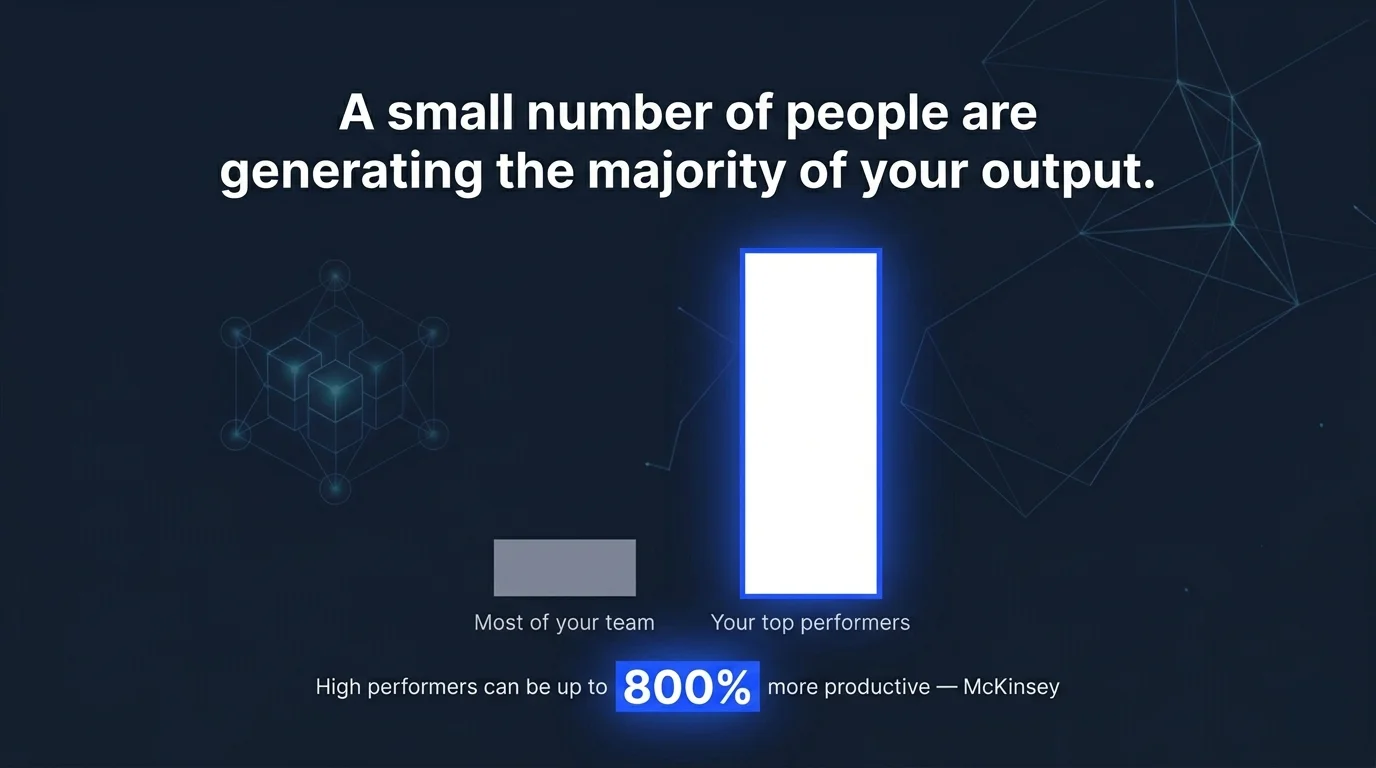
The same McKinsey research found that a 5% group of employees can account for 95% of the value created in some organizations. That concentration is easy to miss when you’re assessing performance by who shows up early, who responds to Slack the fastest, or who has the most to say in the weekly standup.
Remote and hybrid work has sharpened the problem. When managers can’t observe their teams directly, they tend to fall back on responsiveness as a proxy for productivity. The employee who sends the most messages looks active.Our guide on how to tell if a remote employee is working or just idle covers this distinction in more depth.The one who spends four hours deeply focused on a deliverable and surfaces only to share the output looks, by comparison, disengaged.
What Actually Makes Productivity Measurable
When you move away from impression and toward data, productivity becomes a set of trackable signals. The most useful ones are:
Productive time ratio
The share of active hours spent in tools and applications that correspond to the employee’s role. An account manager in a CRM is working. The same account manager spending most of their day on streaming sites isn’t.
The distinction becomes visible in the data.
Active versus idle time
The difference between hours logged in and hours actually engaged with the device. An employee clocked in for eight hours who shows extended idle stretches isn’t working a full eight hours, regardless of what their timesheet reflects.
Application and website usage
A breakdown of exactly how working hours are being allocated — which tools are used, for how long, and whether that pattern matches the job function.
This is where you start to see the difference between the employee who’s genuinely heads-down and the one who’s cycling between work and personal browsing.
Schedule adherence
Whether employees are starting and ending at their scheduled times, and whether their break durations fall within policy. Patterns of late starts, early logoffs, and extended breaks rarely show up in output data alone but have a real cumulative effect on productive hours.
None of these signals is conclusive on its own. Together, they give you a picture of where time is actually going.
When the Numbers Don’t Match the Assumptions
A 2021 Gartner survey found that 64% of managers believed office workers outperform remote workers — and that those employees should be first in line for raises and promotions.
That assumption plays out in hiring and advancement decisions every day, often without managers realising it’s happening.
Consider a scenario that reflects a common pattern:
A regional insurance firm with 40 employees needed to make a promotion decision — a team lead role had opened up — and wanted data to support it. Leadership had informal opinions about who their strongest people were, but no consistent basis for comparison.
After reviewing productivity data from their monitoring software, the picture was different from what anyone expected. Two employees widely seen as reliable performers were spending over a quarter of their active hours on applications unrelated to their roles — a pattern invisible to managers working across locations.
Two others who were less visible in day-to-day interactions ranked at the top of every metric the tool tracked: highest productive time ratio, lowest idle time, consistent schedule adherence across the full review period.
Both were offered the team lead positions. The other two received coaching conversations instead — grounded in data, not suspicion.
This kind of gap between perceived and actual performance is common. The employees who generate the most visibility are not always the ones generating the most output.
The inverse is equally true: your quieter, most efficient people are often invisible to management precisely because they don’t need attention.
How Employee Monitoring Software Gives You the Data
Employee monitoring software captures the signals described above automatically, without requiring managers to observe behavior directly. Login and logoff events, application usage, idle periods, and schedule adherence are all recorded passively in the background and surfaced through dashboards and reports.
The feature that determines whether productivity data is actually useful is role-based measurement. A developer spending most of their day in a code editor is being productive. A sales rep in that same application probably isn’t.
Monitoring tools that let you define productivity by job function — marking specific apps and sites as productive or unproductive on a per-role basis — give you scores that mean something when compared across a mixed team.
Without that context, raw numbers mislead. Someone in a communication-heavy role will naturally show more time in email and chat tools than someone in a back-office position.
If you measure them the same way, the first employee looks distracted and the second looks efficient, even when both are doing exactly what their jobs require.
What It Looks Like in KnowIT
KnowIT is an employee monitoring software built for small and mid-sized businesses. It includes a productivity measurement module for Windows and Mac devices, available on its Employee Monitoring and Complete editions.
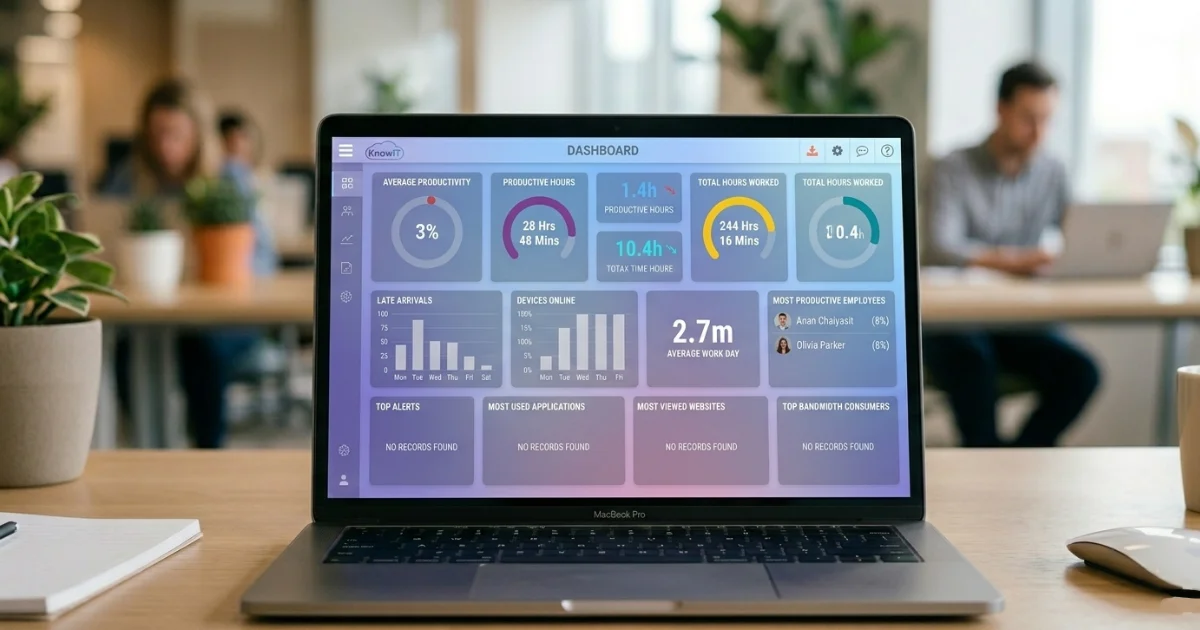
Managers can create productivity groups organized by job role or department, then designate which applications and websites count as productive for each group. A customer service team and a finance team get measured against different criteria — the tool’s definition of productive work reflects what each group is actually supposed to be doing rather than applying a one-size standard across the whole organization.
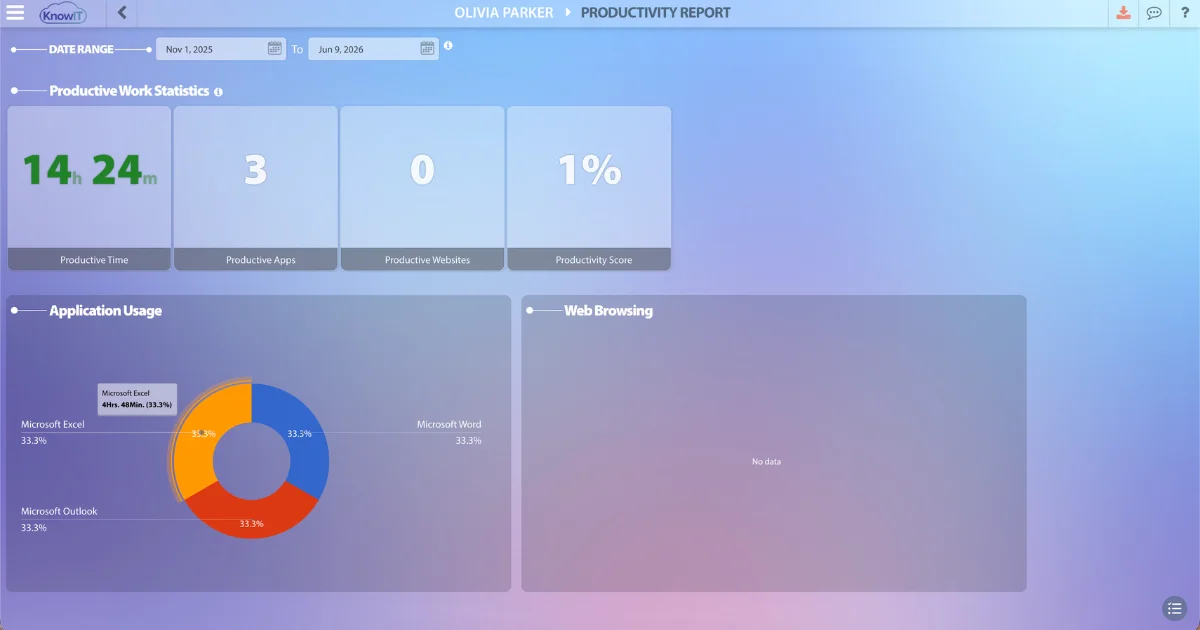
From there, KnowIT generates a normalized productivity score for each employee that accounts for their specific role. The same dashboard shows active versus idle time, application usage breakdowns, and schedule adherence — giving you the full picture without requiring you to cross-reference multiple reports.
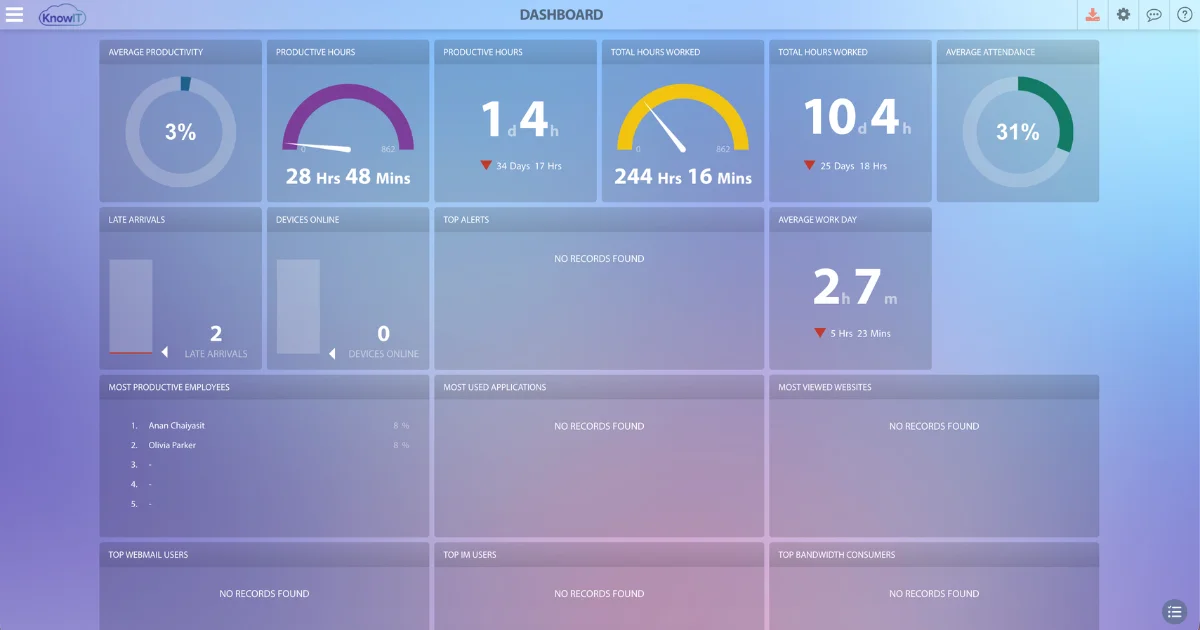
Productivity reports can be scheduled for automatic delivery to managers or directly to individual employees, on whatever cadence you set. Because the data comes from actual device activity, not self-reported timesheets, what you see reflects what employees were doing — not what they submitted.
Want to see how productivity tracking works across your team? Start a free trial — no credit card required.
![KnowIT vs Teramind: Full Comparison for SMBs [2026]](https://blog.digitalendpoint.com/wp-content/uploads/2026/07/KnowIT-vs-Teramind.webp)